Building ElevenApps: a Native macOS Voice Interface for an Immersive Show
ElevenLabs is a web-first product. When a friend needed to wire AI voice agents directly into a physical show — specific microphone in, specific audio interface out — we had no choice but to build a native macOS app from scratch in Swift.
A friend of mine is building an immersive show where audience members can have live conversations with AI agents. Not prerecorded voices, not a chatbot in a browser. Actual live speech, routed through specific hardware, blending into the physical environment of the performance.
ElevenLabs has everything you need on the AI side: high-quality voices, low latency, conversational agents. The problem is that ElevenLabs is almost entirely web-based. On a Mac running show hardware (multiple audio interfaces, BlackHole virtual loopback, a mix of physical and virtual I/O), the browser gives you zero control over which microphone you talk into or where the agent's voice comes out. For a live show, that's a dealbreaker.
The Hardware Problem
The setup involves routing audio through BlackHole, a free virtual audio loopback driver for macOS. BlackHole lets you pipe the AI agent's audio output into another application — a DAW, a mixing desk software, a lighting controller — without anything going through the physical speakers first. It behaves like a real audio device to the OS, which means any application that lets you select an output device can send audio into it.
The web browser cannot do this. It will use whatever the OS default output is, and even if you change the system default to BlackHole, you lose the ability to hear anything yourself. Native macOS APIs give you per application audio device selection at the Core Audio level, which is exactly what was needed.
What ElevenApps Does
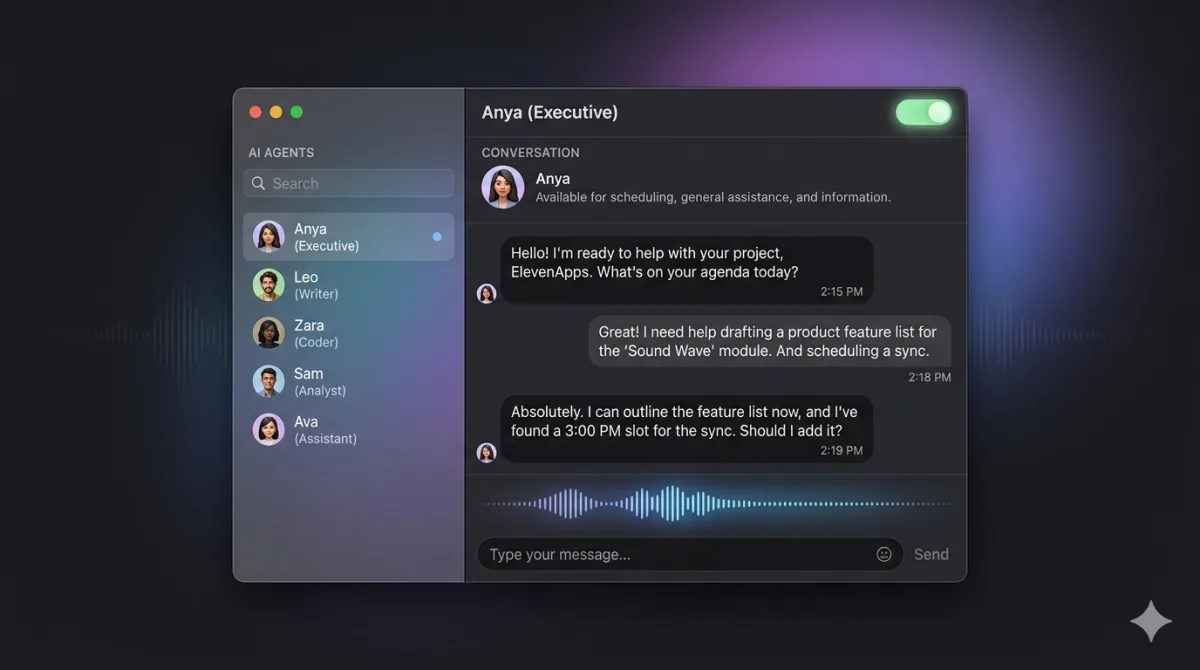
ElevenApps is a native SwiftUI application for macOS 14 Sonoma and later, built on the official ElevenLabs Swift SDK. It connects to your ElevenLabs account, loads your configured agents, and lets you start a live voice conversation with any of them with a single tap. The conversation is displayed as a running iMessage-style transcript in real time.
- Browse all agents on your ElevenLabs account from the sidebar
- Start a conversation with any agent — one tap, no configuration per session
- Pause and resume mid-conversation without dropping the connection
- Switch between agents without restarting the app
- Assign a per agent contact photo for quick visual identification on stage
- API key stored securely in the macOS Keychain
The WebSocket Control Server
One of the most useful features for a live show context is the built-in local WebSocket server running on ws://127.0.0.1:8765. Any software on the same machine can connect and control the app programmatically: start a conversation with a specific agent, end it, pause the mic, query the current state, or receive a live feed of the transcript as JSON events.
In practice this means a show control system — QLab, a custom Node script, a Python cue runner — can trigger agent conversations as part of a cue sequence, without a human touching the app. The transcript events are useful for driving other elements: a subtitle display, a lighting cue triggered when the agent starts speaking, or a log for post-show review.
A Note on Audio Routing
The original motivation for building the app was full control over input and output audio devices. Early versions of ElevenApps had explicit mic and output device pickers and a custom AVAudioEngine pipeline. That approach worked but introduced fragile interactions with aggregate devices: BlackHole in particular caused CoreAudio crashes when the app tried to reconfigure the audio graph.
The current version delegates the full audio pipeline to the ElevenLabs Swift SDK, which uses WebRTC via LiveKit under the hood. This resolved all the crash bugs and is more stable in practice. For output routing to BlackHole specifically, the current workaround is to set BlackHole as the system default output at the OS level before starting a conversation, which the SDK then picks up automatically.
Open Source
ElevenApps is open source under the MIT licence. The project is at v1.3.1, pre-built DMGs are available in the releases folder, and the codebase is structured as a standard Xcode project with no external dependencies beyond the ElevenLabs Swift SDK resolved automatically by Swift Package Manager.